Text Files Loading Settings
How to Convert Text Files with Custom Page and Font Settings?
1. Add Your Text Files
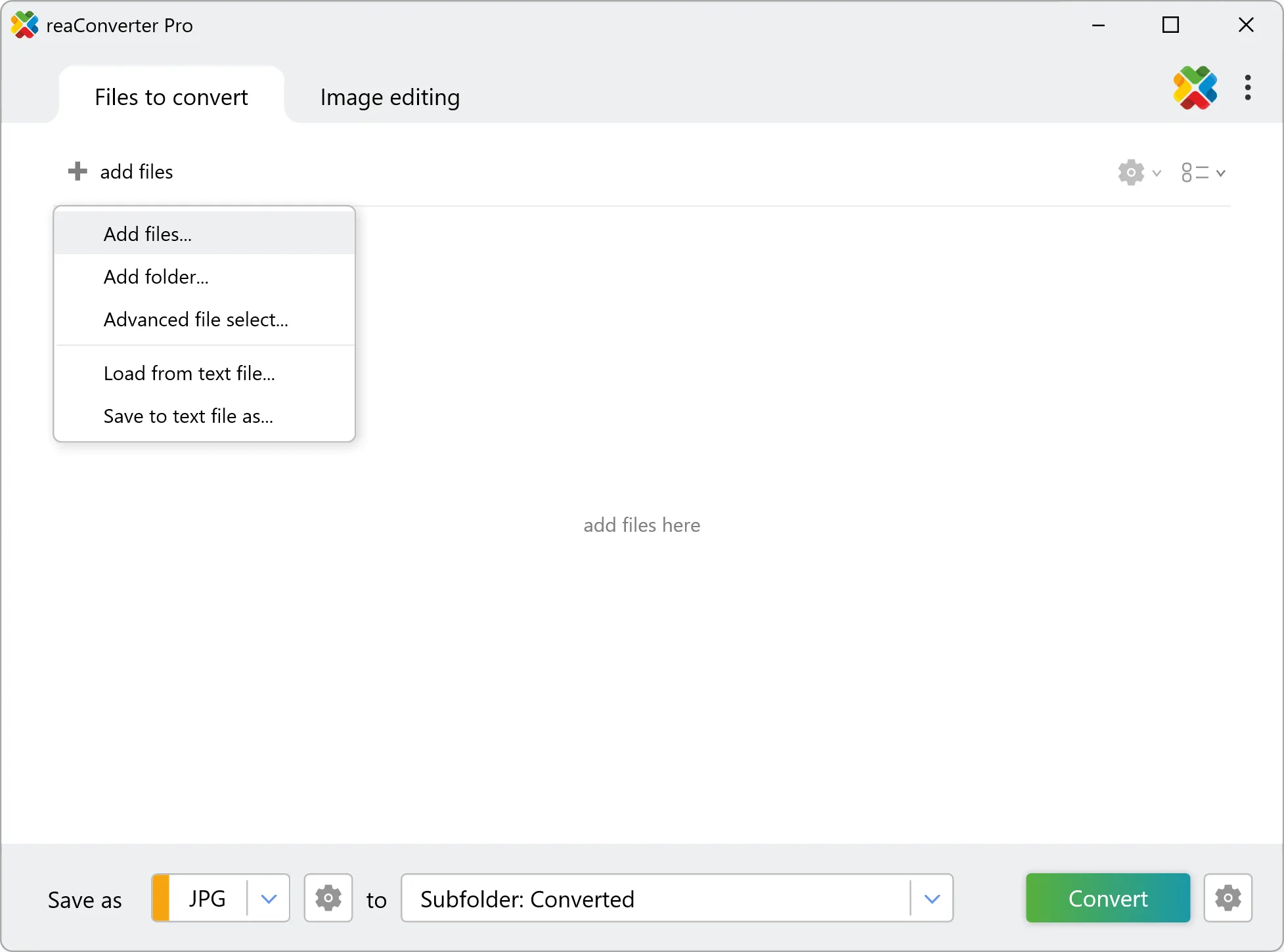
Open reaConverter and drag your .txt, .prt, or other text files into the main window, or click Add Files to browse and load them.
2. Set Page and Font Options
Under Loading settings, go to the TXT/PRT section
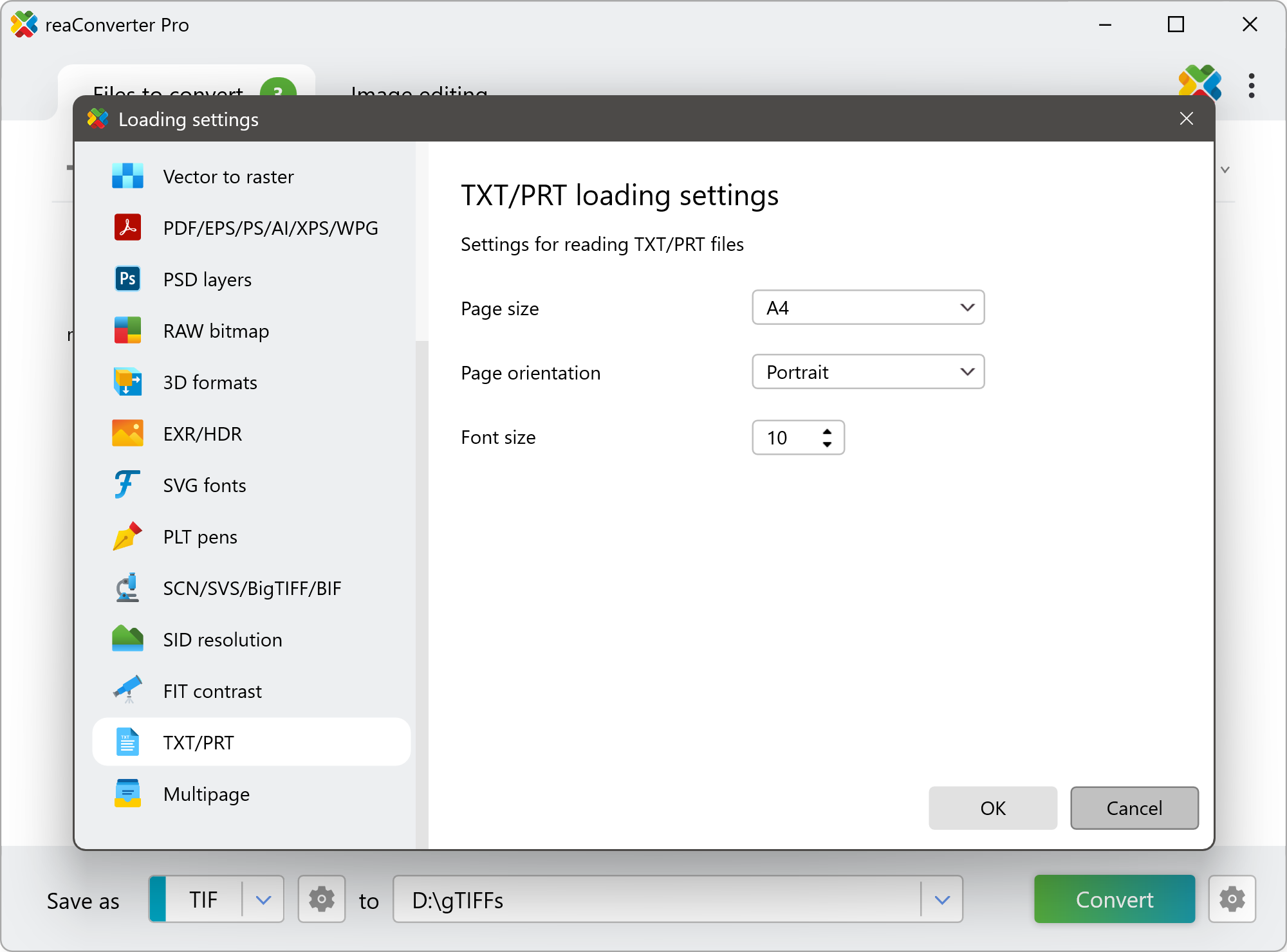
Here you can:
- Select Page Size (e.g., A4, Letter)
- Choose Page Orientation (Portrait or Landscape)
- Set Font Size as needed
Watch How It Works
Convert TXT and PRT on Your PC
Convert TXT and RTF files directly on your PC with reaConverter — fast, reliable, and completely offline.
Command line
Convert TXT/PRT files with command-line tool
You can also convert text files using command-line interface, either manually or through automated scripts. reaConverter Pro includes a command-line tool called cons_rcp.exe — an advanced feature designed for professional use, available exclusively in the Pro edition.
TXT to PDF conversion example:
cons_rcp.exe -s "C:\Path_to\input_file.txt" -o "C:\Path_to\output_file.pdf" -txt_paper 0 -txt_orientation 0
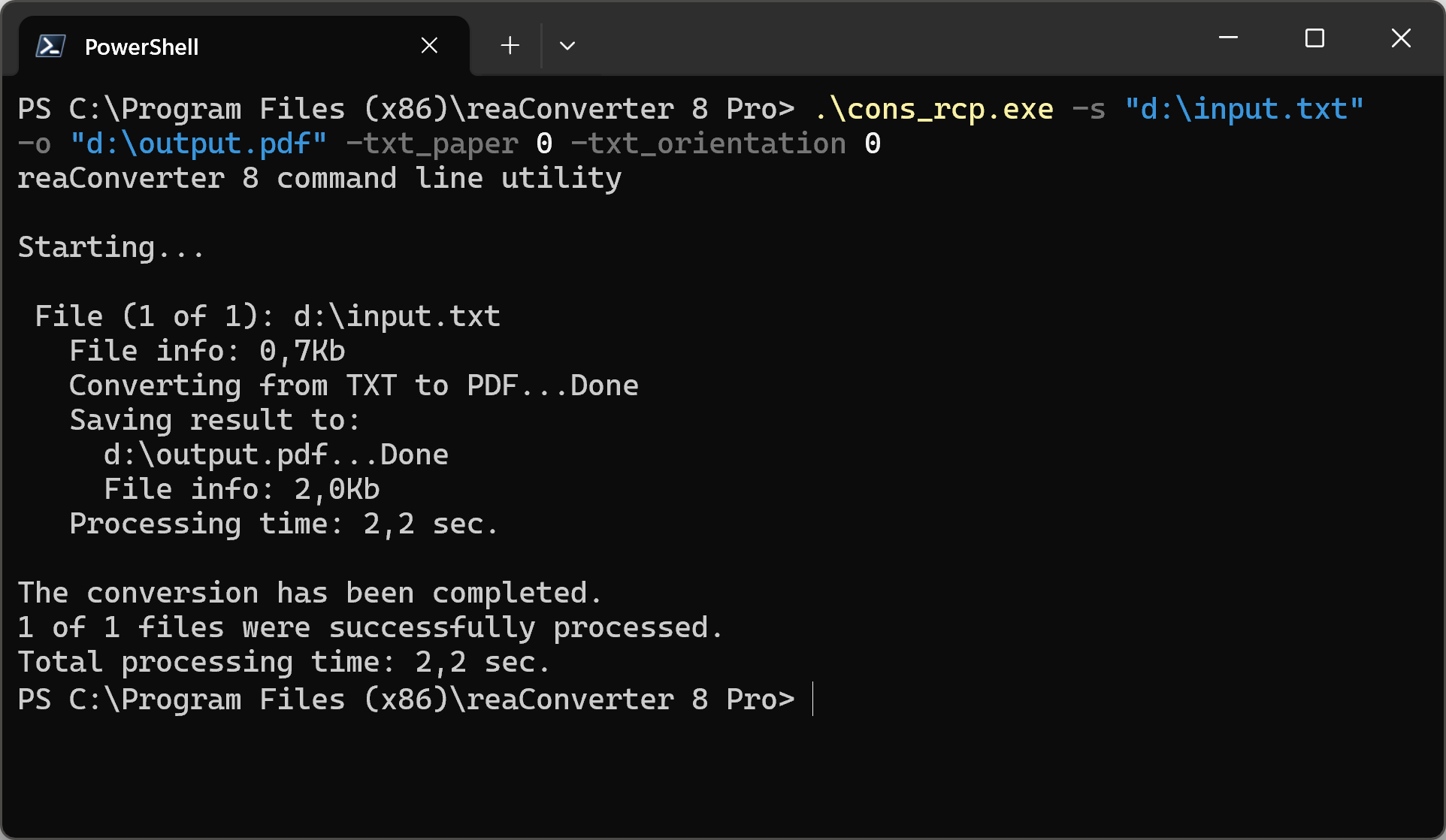
Manual
-txt_paper
  where value = paper size while reading TXT files (0 - A4, 1 - Letter)
-txt_orientation
  paper orientation while reading TXT files (0 - Portrait; 1 - Landscape)
-txt_font_size
  where value = font size while reading TXT files
You are welcome to contact our technical support when you have any questions about reaConverter.
Discover More
More than a converter
Advanced batch processing and editing for 800+ file formats, including CAD, medical imaging, and GIS. No cloud, no upload limits.
